
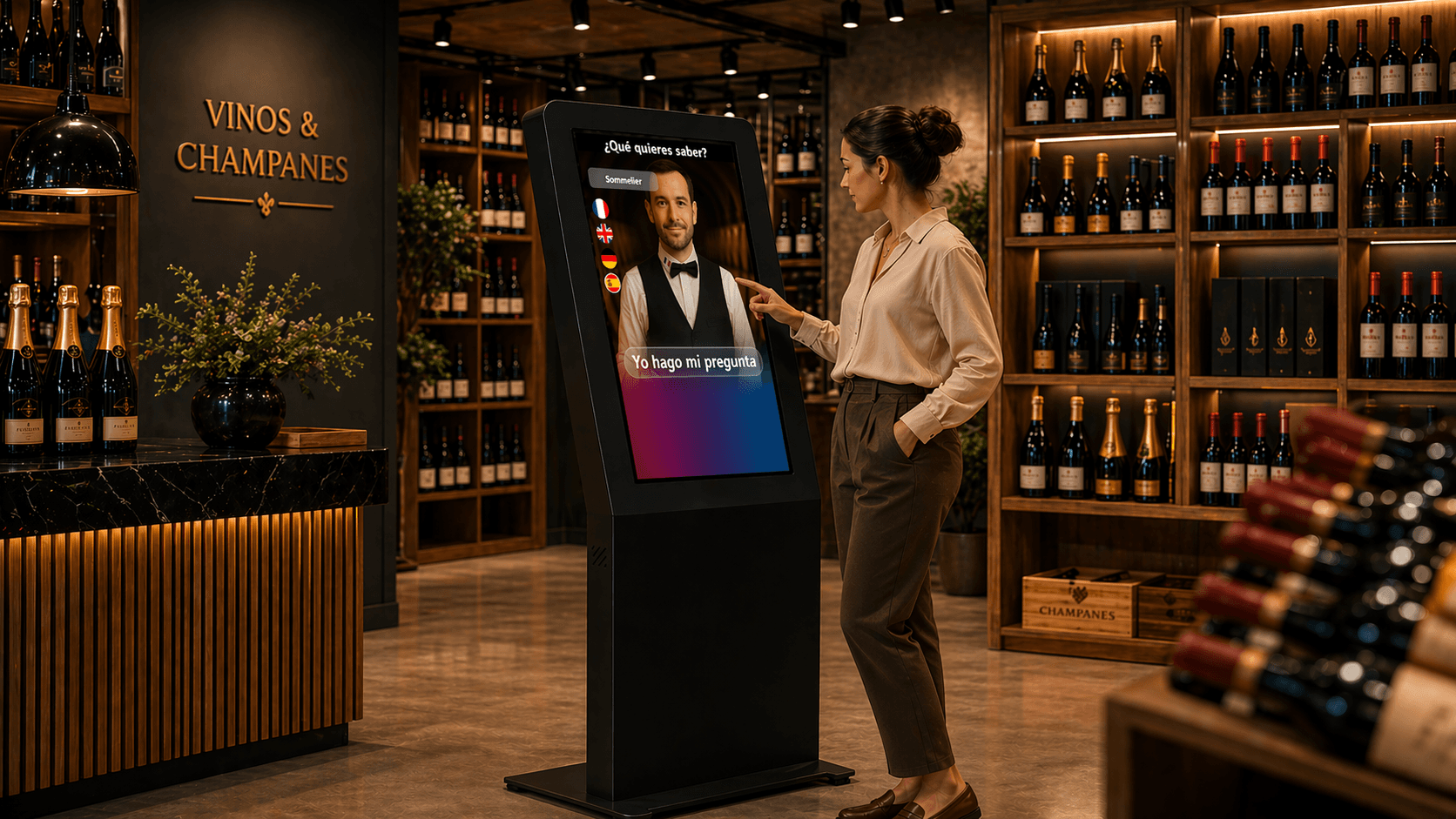
Introduction: why this question matters today
A store manager or omnichannel lead must first answer a concrete question: does an AI avatar in-store bring measurable operational and commercial benefits? This article offers a pragmatic approach. It does not sell an abstract solution, but helps prioritise use cases, identify essential integrations, choose appropriate hardware and design a pilot able to prove the project’s value.
The goal is an operational roadmap: decide what to test immediately in-store, list systems to connect, define success conditions and establish actionable indicators to convince leadership.
Priority retail use cases
Not all stores have the same priorities. Selecting use cases depends on store format, product mix, level of digitalisation and customer expectations. Below is a list of use cases to consider first because they are both customer‑useful and relatively simple to test.
Product information and in‑store comparison: answer practical questions (composition, available sizes, variants), provide adapted product sheets and general advice.
Stock check and immediate availability: allow customers to know if an item is in backroom stock, on the shop floor or available in another store.
Click and collect / order pickup: inform on the status of a click & collect order, indicate pickup steps and required documents (with the caveat that integration with the order system is required).
In‑store wayfinding and orientation: indicate where to find a category or aisle, or propose themed routes (new items, promotions).
Loyalty and customer programmes: inform on point balances, enrolment terms or benefits, redirecting to a secure channel if a sensitive action is required.
Handling and triage of simple requests: FAQs on returns, warranties, commercial policy and opening hours, to limit repetitive questions in-store.
Which technical integrations are actually required?
An AI avatar becomes relevant when it relies on reliable data. Some connections are optional but strongly recommended for particular use cases. Each connection implies specific integration work and choices around security and authorisation.
Below are integrations to consider and the value they bring. For each, remember a dedicated integration can be developed according to the retailer’s IT architecture.
Stock system / ERP: useful for near‑real‑time availability checks and locating an item. A dedicated integration enables consultation of relevant stock statuses (store, backroom, other store).
POS / checkout: useful when a scenario requires checking a recent purchase, a gift card or a simple transaction history. Access to the POS requires security guarantees and rules about data exposure.
Click & collect / e‑commerce platform: to report an order status or facilitate pickup, integration with the order system is necessary.
CRM / loyalty programme: to personalise exchanges (greetings, loyalty follow‑up, targeted offers), CRM integration allows responses tailored to the customer profile. This requires strict rules on which data can be shown publicly in‑store.
Internal notification system: when it is desirable to alert a sales associate (for product assistance for example), a specific integration can send notifications to a business app or internal mobile device.
Business knowledge base: the avatar must rely on validated content from the retailer. SANIA can use an organisation’s knowledge base and employ semantic search / RAG to retrieve relevant information.
What can SANIA do from the initial configuration?
Some features are available natively or via configuration and should be considered during project design.
SANIA can run on a screen or interactive kiosk, support touch and voice interaction depending on setup, operate in over 100 languages and maintain conversational context during a session. Multiple LLM engines can be used depending on project configuration and SANIA can use a knowledge base provided by the organisation.
Hardware choice and in‑store placement
Hardware is not everything, but it determines accessibility and the effectiveness of the experience. Key points to check are screen readability, touch ergonomics (if used), audio quality for voice interaction and acoustic conditions of the location.
Prefer a location that preserves exchange confidentiality (avoid high‑traffic zones if sensitive information may be read aloud) and that makes the kiosk accessible to the intended audience. An avatar placed at the entrance will serve orientation purposes, while a screen in an aisle will focus more on product information.
Touch + voice interaction depending on customer flow and acoustics: plan for hybrid interaction depending on configuration and audiences.
Microphone and speakers: audio quality must be calibrated to store noise level; exact configuration will depend on placement.
Durability and maintenance: choose screens and mounts suitable for public use, easy to clean and maintain.
Operational pilot plan: recommended steps and scenarios
A well‑designed pilot should deliver clear learnings without immobilising the organisation. Below is an operational approach to apply before scaling the project.
1. Define clear, limited objectives. Choose one or two priority use cases (for example stock check and click & collect).
2. Select the right pilot store. Prefer a site representative of the target format and with teams available to support the test.
3. Prepare content and the knowledge base. Update product sheets, click & collect rules and business FAQs. SANIA can use these contents when provided and ingested into its knowledge base.
4. Configure the minimal integrations necessary for the scope (for example read‑only access to stock).
5. Define interaction modes and hardware placement (entrance screen vs aisle kiosk).
6. Put in place data collection needed for monitoring (see KPI section).
7. Train store teams on escalation scenarios to a human and on communicating the solution to customers.
8. Launch the pilot in real conditions, then run regular reviews to correct content and workflows.
KPI and method to measure return on investment
Measuring ROI requires combining business indicators and operational data. SANIA does not automatically provide these metrics natively; an organisation must plan the appropriate collection method (logs, surveys, external integrations).
Useful indicators to consider include:
Self‑service resolution rate for requests defined in scope (share of requests handled without human intervention).
Impact on the purchase journey: for example number of interactions leading to a request for sales assistance, or flows steering customers to a product shown on the screen (measurable via observation or e‑commerce integrations).
Relevant commercial measures: change in average basket or items per transaction for customers influenced by the avatar (these require linking transactional data to the pilot period).
Customer satisfaction: collected via an external survey or a feedback channel set up by the retailer.
Operational efficiency: average time spent by teams on repetitive requests after pilot deployment.
Common mistakes and watch points
Several pitfalls frequently appear in in‑store AI avatar projects. Anticipating them helps the pilot succeed.
Classic mistake: trying to automate everything at once. It is preferable to limit scope to well‑defined and measurable cases. Another watch point: exposing sensitive information without control. Any customer or transactional data accessible via the avatar must comply with security rules and be subject to controlled integration.
Content quality is decisive. SANIA can use an organisation’s knowledge base, but outdated or ambiguous content will harm the experience. Finally, plan escalation to a human: clearly define when to direct the visitor to staff and how to notify them.
Quick FAQ
Is it mandatory to connect the avatar to the POS to start a pilot?
No. Many initial use cases (product information, FAQ, wayfinding) can operate without POS access. Additional integrations can be added according to chosen scenarios.
Can the avatar speak multiple languages in‑store?
Yes. SANIA can communicate in over 100 languages. The priority is to ensure business content (product sheets, FAQs) is accurate and adapted for target languages.
Next steps
A successful pilot enables a decision about progressive scale‑up. Subsequent decisions concern content governance, integration prioritisation and maintenance organisation. During the pilot, document responsibilities for updating the knowledge base and define criteria for multi‑site expansion.
SANIA positions itself as a conversational AI avatar solution adapted to physical environments: it can be deployed on a screen or interactive kiosk, operate day and night and rely on content provided by your organisation. To assess concrete interest across your store network, requesting a demonstration helps validate business scenarios and identify required technical integrations.