
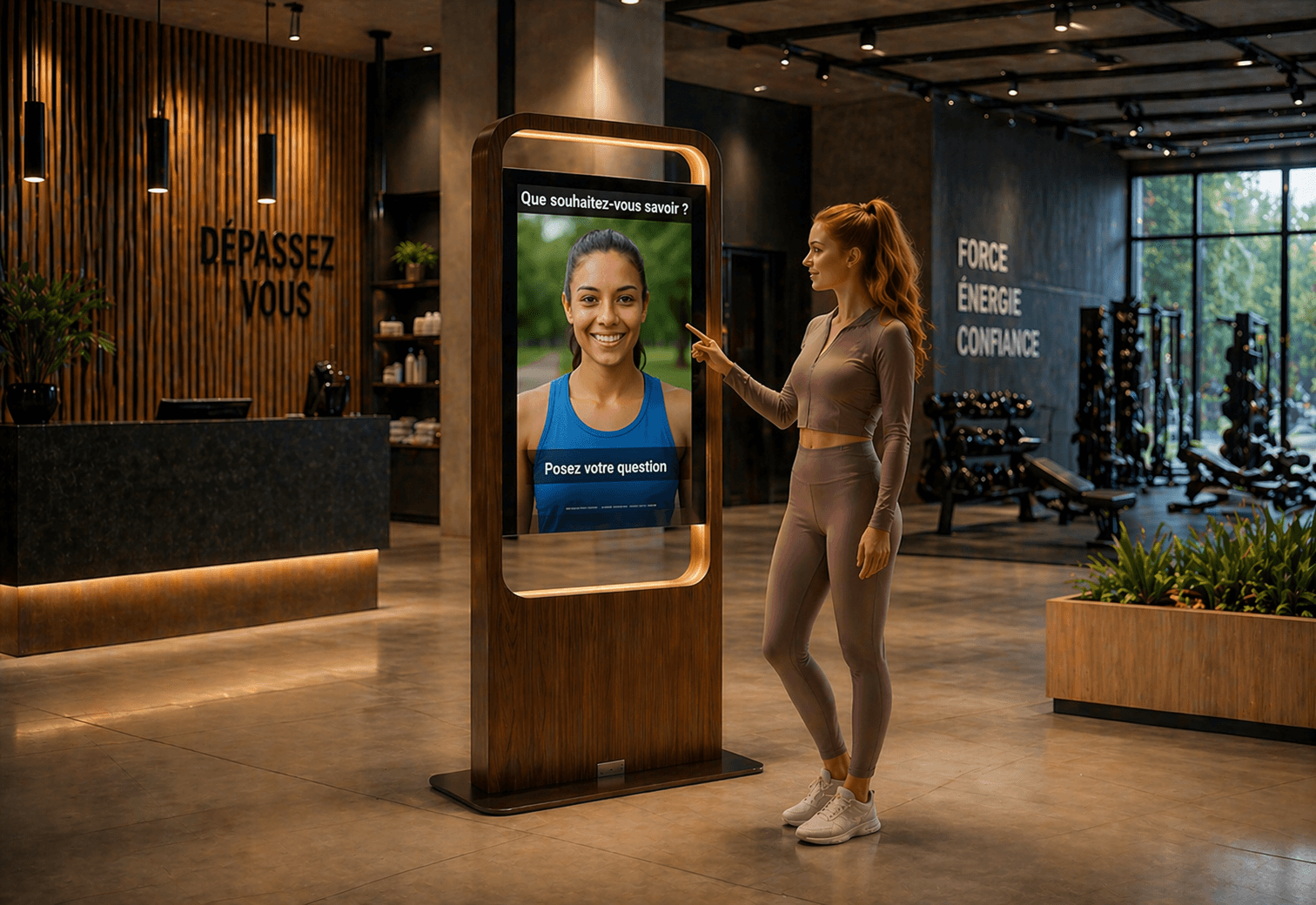
Introduction: why a specific guide for kiosks and screens
An AI avatar project is often technically validated before the conversational content is really designed for the physical environment. Writing for a touchscreen is not the same as writing for a voice interaction. Ergonomic constraints, attention spans and respect for human turn-taking require clear editorial choices.
This practical guide provides operational rules, short dialogue templates ready to use and a checklist to handle multilingual needs and prepare RAG ingestion of business documents. The examples are designed to be tested right away in a pilot on a screen or interactive kiosk.
UX principles to follow depending on the interaction mode
Start by defining the primary mode of use: touch, voice or hybrid. Each mode imposes different constraints on response length, option granularity and how to steer the user.
Touch: on a screen or kiosk the user can read and tap. Favor brief messages, clickable options and visual confirmations. Microcopy must be scannable and action-oriented.
Voice: speech requires a rhythm, turn-taking cues and more concise answers. Plan short sentences, clear verbal confirmations and stopping points to let the user speak.
Hybrid: when a setup offers both voice and touch, design complementary versions of the same reply. For example, a short vocal reply accompanied by a more detailed visual display on screen.
Concrete writing rules for microcopy
Write for the usage situation: in a reception area the user seeks quick orientation or information. Replace general sentences with concrete actions and clear options.
Favor a tone consistent with the chosen persona. The persona combines the visual avatar, voice and system instructions; it should reflect the client brand and build trust without unnecessary complexity.
Limit information density: an initial reply should include the essential information and, if needed, offer an option to learn more. Avoid long explanatory paragraphs up front.
Progress signals: for voice interactions, include markers like “Okay” or “Right” before performing a lookup to indicate the avatar understood and that a search is underway.
Short dialogue templates ready to use (1–3 turns)
Here are simple templates to adapt. These scripts are meant to be injected into an RAG knowledge base or used as templates during a pilot.
Touch - Single-turn orientation scenario: User: “Where is the billing department?” Avatar (screen): “The billing department is on the 2nd floor, north wing. Would you like to see the map or get opening hours?” (buttons: See map / Opening hours)
Touch - Multi-turn scenario (up to 3 turns): Turn 1 - User: “I’m looking for information on returning a product.” Turn 1 - Avatar: “For which purchase type?” (buttons: Online / In store) Turn 2 - User: chooses In store Turn 2 - Avatar: “For an in-store return, please keep your receipt. Would you like the full conditions?” (buttons: Conditions / Back to home) Turn 3 - User: Conditions Turn 3 - Avatar: displays summary and offers to print or send a link.
Voice - Short verbal scenario: User: “What are the hours today?” Avatar (voice): “Today we are open from 9 AM to 6 PM. Would you like me to read the hours for specific services?” Turn-taking point: if the user does not answer, plan a short voice timeout then offer a touch option if available.
Voice - Clarification scenario (avoid intent errors): Turn 1 - User: “I want to register.” Turn 1 - Avatar: “Okay. Do you want to sign up for the newsletter or book an appointment with an advisor?” Turn 2 - User: chooses appointment Turn 2 - Avatar: “For which service?”
Microcopy for transitions, confirmations and error handling
Microcopy guides the user between steps. Prepare short messages for transitions (e.g. search in progress), confirmations (e.g. action successful) and errors (e.g. no result found).
Examples of short, neutral microcopy: “Searching…”, “I found this”, “Could you specify?”, “I didn’t understand, please rephrase briefly.”
For errors, avoid technical messages. Always propose an alternative or a suggestion: show similar options, offer to repeat the question, or invite contacting the relevant service.
For voice, allow reasonable read durations and leave pauses so the user can respond. For touch, use explicit action labels and visual confirmations.
Fallback strategy and rules to route to human assistance
It is essential to define in advance the situations in which the avatar should direct the user to a human. Never present an automatic transfer as mandatory: prepare clear escalation wordings and scenarios.
Write standardized escalation messages, for example: “I can’t find the exact answer. Would you like me to tell you where to find an agent or to send this request to the desk?”
Also prepare scripts to gather minimal information before routing the user, to help the human staff take over if needed. Indicate which information should be collected and shown to staff, without assuming an automatic transfer is in place.
Provide clear options to the user: request advisor intervention, show the desk location or offer a human callback via an external channel if the organization permits it.
Preparing the knowledge base for RAG ingestion
To obtain reliable business answers, prepare and clean the documents you want to ingest. SANIA can use common formats including PDF, DOCX, XLSX, TXT, CSV and NDJSON, depending on the chosen ingestion workflow.
Structure the information: prioritize official and up-to-date documents, clearly mark sections dedicated to hours, conditions, procedures and contacts. Clear, current content improves answer quality.
Provide examples of user formulations and frequent variants to help test answer relevance during a pilot. Also test multilingual responses taking advantage of the support for more than 100 languages that SANIA can use according to configuration.
Keep in mind that RAG answer quality depends on the relevance and freshness of the sources provided. Prepare a document update plan to avoid outdated responses.
Operational multilingual checklist
Multilingual in a reception setting is not limited to word-for-word translation. Here is a practical checklist to use during the pilot to ensure script consistency and usability across languages.
Identify the languages truly relevant to the target audience and prioritize them.
Check microcopy and buttons in each language to ensure they remain short and understandable.
Test cultural variations: forms of address, date formats and local units.
Plan scenarios for detecting language change during a session and confirmation messages for the user.
Validate knowledge-base responses in each language, focusing on terminological consistency.
Measures to track during the pilot and useful indicators
Performance measurement requires external tools or instrumentation planned in the project. Propose indicators aligned with the pilot objectives and choose collection methods accordingly.
Examples of useful indicators for the project team to instrument: interaction completion rate, share of requests requiring human intervention, average duration of a voice interaction, and reformulation rate. These indicators should be implemented by the organization according to its collection and monitoring tools.
Complement quantitative measures with qualitative reviews: review conversation excerpts, run user tests in real conditions and verify RAG answers on sensitive business cases.
Pilot duration and size depend on traffic and objectives. Adapt measurement granularity to the operational reality of the pilot site.
Common mistakes and watch points
Here are recurring pitfalls to avoid when writing and deploying scripts:
Overly long content: writing full explanatory paragraphs in the initial response. Prefer summaries with an option to expand.
Poor management of vocal turn-taking: not leaving pauses or cutting the user off. Plan markers and interruption handling according to the setup.
Lack of microcopy for errors: never leave the user without guidance in case a search fails. Always propose an alternative or a clear next action.
Next steps and conclusion
Writing scripts for an AI avatar deployed on a kiosk or screen requires precise editorial choices: adapt length, plan turn-taking markers, design transition microcopy and define a coherent escalation strategy. Prepare your business documents for RAG ingestion and test variants in priority languages.
SANIA is a professional conversational AI avatar solution that can be deployed on screens or interactive kiosks and communicate in more than 100 languages, while leveraging a business knowledge base to produce adapted answers according to project configuration. To learn how to adapt these templates to your context and test ready-to-use templates during a pilot, you can request a SANIA demonstration.