
Introduction: why SRE-minded observability for a physical AI avatar
An AI avatar deployed on a screen or kiosk operates in a distributed environment combining local components (tactile UI, audio I/O, peripherals) and cloud or on‑prem services (ASR, LLM, TTS, RAG, business integrations). Ensuring 24/7 availability and rapid detection of degradations requires an observability approach built for operations, not only for development.
This guide provides an operational playbook to define appropriate SLOs and SLAs, build end‑to‑end synthetic tests including tactile and voice flows, design privacy‑safe and traceable logs, set up actionable dashboards and alerts, and organize runbooks and on‑call. Recommendations apply to a SANIA deployment on screen or kiosk while accounting for the project’s hardware specificities and integrations.
Define relevant SLOs and SLAs before any supervision
SLOs (service level objectives) translate into actionable criteria what acceptable service means for users and the organization. SLAs are contractual or internal commitments that rely on those SLOs. For an AI avatar in public space, it is important to align SLOs/SLAs with business expectations and actual technical capabilities.
Rather than imposing isolated technical metrics, structure objectives around experience: on‑site vocal and tactile service availability, user‑perceived response latency, ability to provide a relevant answer from the document base, and tolerance for degradations of real‑time integrations.
Map critical journeys (e.g., visitor guidance, product information, payment scenario if present) and define which components must be measured for each journey.
Translate business expectations into observable measures: availability, perceived latency, fallback rate to an error message or human assistance, freshness of RAG content.
Document external dependencies (ASR, LLM, TTS, business APIs) and specify which service levels are contractual and which are for operational monitoring.
Design end-to-end synthetic tests covering tactile and voice
Synthetic monitoring helps detect regressions before they affect many users. For an interactive kiosk, a synthetic test plan must cover tactile flows, full voice interactions (ASR -> LLM -> TTS), and scenarios that query the RAG document base or external APIs.
Synthetic tests can run from the cloud, an on‑prem agent, or devices located on site. They must faithfully reproduce the full interaction chain and check not only technical success but also minimum functional quality (for example, non‑empty response, absence of technical error, acceptable latency).
Tactile tests: welcome flow, menu navigation, screen transitions, button validation and visual rendering.
End‑to‑end voice tests: inject an audio file or simulated synthesized voice, verify ASR transcription, evaluate the response produced by the LLM/RAG, validate TTS playback and check audio output.
Real‑time integration tests: simulate business API calls, verify response codes and behavior in case of unavailability (controlled degradation).
RAG freshness tests: targeted queries on recently updated documents to verify the returned document base is consistent.
Design privacy‑safe and traceable logs
Log quality is essential to diagnose an incident. At the same time, conversation confidentiality and legal obligations must be guaranteed. Design logs that remain useful for SRE teams while minimizing stored personal data.
Adopt clear principles: separate operational metadata from user content, use non‑reversible correlation identifiers, and apply anonymization or pseudonymization policies appropriate to the data nature and project configuration.
Always include a global correlation id for a session (correlatable between local UI, ASR, LLM, TTS, and API calls).
Log diagnostics‑useful metadata: timestamps, per‑step latencies, error codes, LLM model version, deployment and machine identifiers.
Avoid storing full transcripts or raw audio unless operationally justified. When retention is necessary for analysis, apply robust anonymization measures and minimize retention period in line with the project’s GDPR decisions.
Keep traces of system actions and RAG processing steps (which document source was queried) without exposing the sensitive content itself.
Multi‑component correlation to diagnose ASR, LLM, TTS and integrations
An apparently global incident can originate in a single component: degraded ASR, an LLM behaving poorly, network latency on a business API, or a local kiosk problem. Correlating traces across components is therefore essential to quickly isolate root cause.
Design log and trace pipelines that can reconstruct a full session. Use correlation ids propagated through each call and keep metadata indicating execution path and per‑step latencies.
Trace user input entry, the request sent to ASR, transmission to LLM/RAG, the TTS request and final playback, with latency and status for each step.
Include model or configuration version IDs (ASR model vX, LLM routing, RAG index) to facilitate rollbacks or post‑deployment regression analysis.
Keep external API request identifiers and response codes to evaluate integration incidents without necessarily storing payloads.
Actionable dashboards and alerting for Ops teams
Dashboards must synthesize service state to enable fast decision making. They should be action‑oriented and tied to clear alerts, avoiding noise and supporting incident prioritization.
Design differentiated alerts: those requiring immediate intervention and those prompting scheduled investigation. Document the expected impact level for each alert type to guide on‑call.
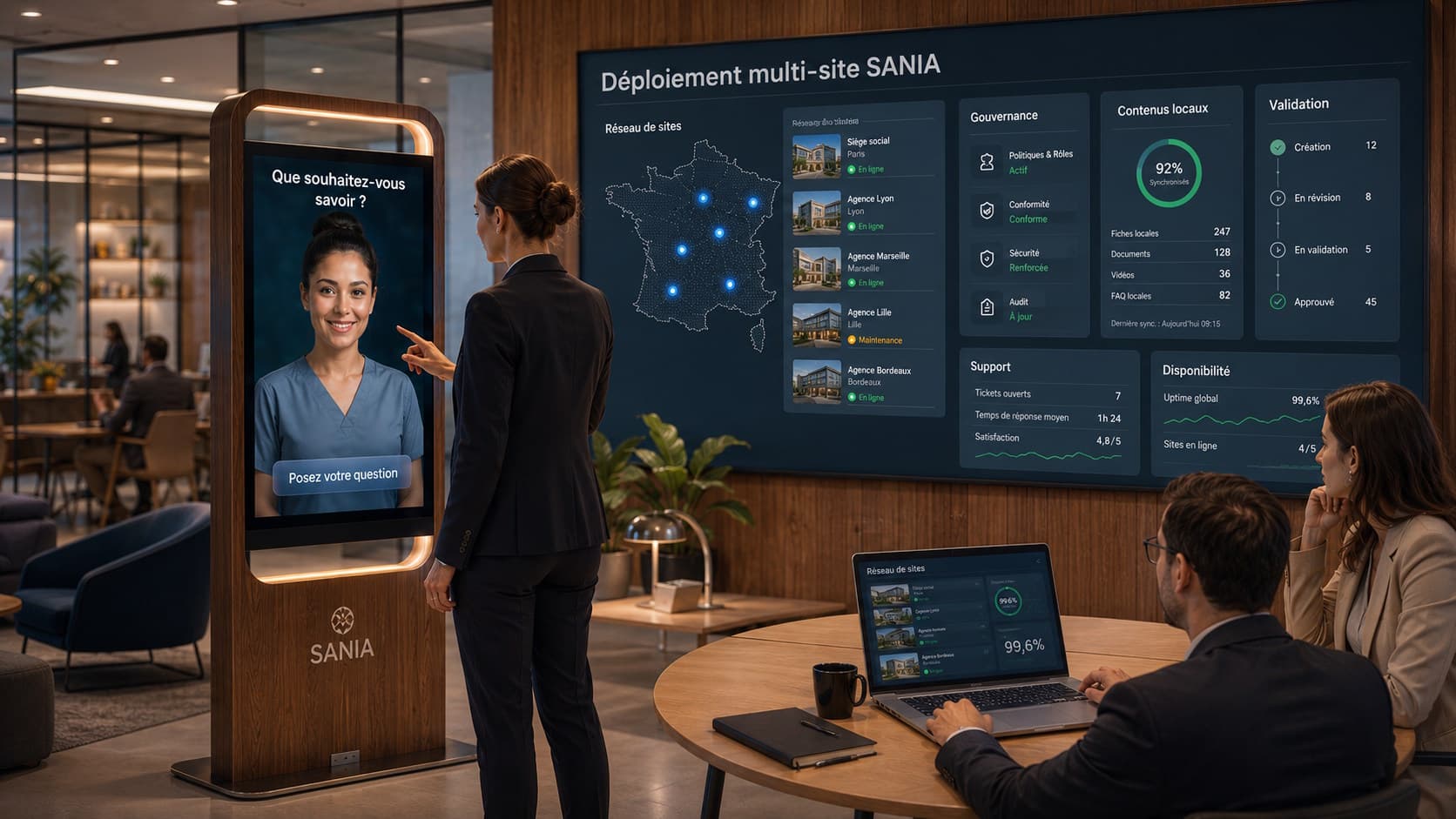
Dashboard view examples: site map and kiosk status, average latency per component, aggregated ASR/LLM/TTS error traces, functional fallback rate.
Recommended alerts: unavailability of a critical service (ASR/LLM/TTS), sustained increase in integration errors, perceptible media latency degradation, anomalies in RAG freshness signaling content drift.
Prefer alerts with enriched context: correlated logs, affected steps, last failing synthetic test, and operational suggestions from the runbook.
Runbook, on‑call and escalation procedures adapted to AI avatars
A good runbook must be pragmatic and focused on observable symptoms. For each alert or incident type, document rapid diagnostic steps, checks to perform on site and possible mitigation actions.
On‑call organization should define clear roles: who operates local infrastructure, who queries cloud services, who manages business integrations. Avoid relying on undefined automatic transfers; document contact points and modes of communication.
Incident runbook structure: symptom description, first checks, consoles or commands to consult, log correlation method, temporary mitigation actions, fallback and escalation criteria.
Include procedures for quick on‑site tests (controlled reboot, network failover, audio/tactile hardware checks) and scripts to extract correlated logs.
Plan regular exercises to validate runbooks and maintain team responsiveness.
Deployment strategies and the canary pattern to limit risk
Deployments of critical components (new LLM model, ASR update, RAG pipeline change) must minimize the risk of impacting the whole fleet. Canary deployment is a useful pattern: roll out to a limited scope, monitor key indicators, then expand progressively if no degradation appears.
Document canary validation criteria and rollback conditions. This includes synthetic test results, observed error rates and absence of behavioral alerts.
Plan validation phases: pre‑deployment in a test environment, canary on a small scope, progressive rollout with enhanced monitoring.
Define stop criteria: clear alert signals that trigger rollback or halt of the rollout.
Prepare simple, tested rollback mechanisms to return to a stable version if necessary.
Operational checklist before and after production rollout
Here is a checklist to prepare production rollout and stabilize ongoing operations. It groups monitoring, privacy, testing and human procedures.
This checklist must be adapted to the project context, chosen architecture and local regulatory obligations. It serves as a baseline to validate the avatar’s readiness for 24/7 operation.
Validate defined SLOs/SLAs and translate them into observable metrics.
Set up synthetic tests covering tactile and voice journeys and verify their automated execution.
Configure correlation id propagation and metadata/content separation in logs.
Define anonymization and log retention policy in compliance with the project’s GDPR decisions.
Create operational dashboards and configure actionable alerts with associated runbook.
Organize on‑call and run an incident exercise to validate diagnostic and rollback procedures.
Frequently asked practical questions (FAQ)
Q: Should audio or transcripts always be recorded to diagnose an incident? A: Not necessarily. Metadata, status codes and anonymized transcripts can be sufficient for most diagnostics. Full recordings should be retained only if a specific analysis requires them and after validation of legal and privacy aspects.
Q: Does SANIA natively provide observability metrics? A: Depending on project configuration, SANIA can be integrated with monitoring tools and leverage business documents (PDF, DOCX, XLSX, TXT, CSV, or NDJSON for specific workflows). Useful metrics must be exposed or collected via deployed components and chosen integrations.
Q: How to verify RAG content freshness? A: Implement targeted synthetic queries on recently updated documents and monitor responses as well as RAG logs indicating which sources were queried, to alert in case of drift or missing up‑to‑date documents.
Next steps
Implementing a complete observability setup for an AI avatar requires close collaboration between product, infrastructure, security and operations teams. Adapt this playbook to the project scope and obligations, and favor short iterations to progressively stabilize SLOs.
SANIA can run on a screen or interactive kiosk with tactile and/or voice interaction depending on configuration, and integrate a business document base for RAG scenarios. To study how this playbook adapts to your deployment and receive an operational demonstration, you may request a presentation of SANIA and our operational workflows.