
Operational introduction
Deciding to deploy an AI avatar in a museum requires balancing public service goals, heritage preservation and technical constraints. This guide targets visitor experience managers, digital project leads and museum IT directors who need a concrete framework to prioritise use cases, assess risks and prepare a pilot. It focuses on the most relevant use cases, the documentary ingestion requirements (RAG), common technical integrations and an operational pilot checklist.
Which use cases to prioritise and why
Not all museums have the same priorities. The order of priority depends on the objective: improving visitor orientation, enriching mediation, offering autonomous guided tours, strengthening accessibility or streamlining ticketing/retail journeys. Below are the use cases to examine first.
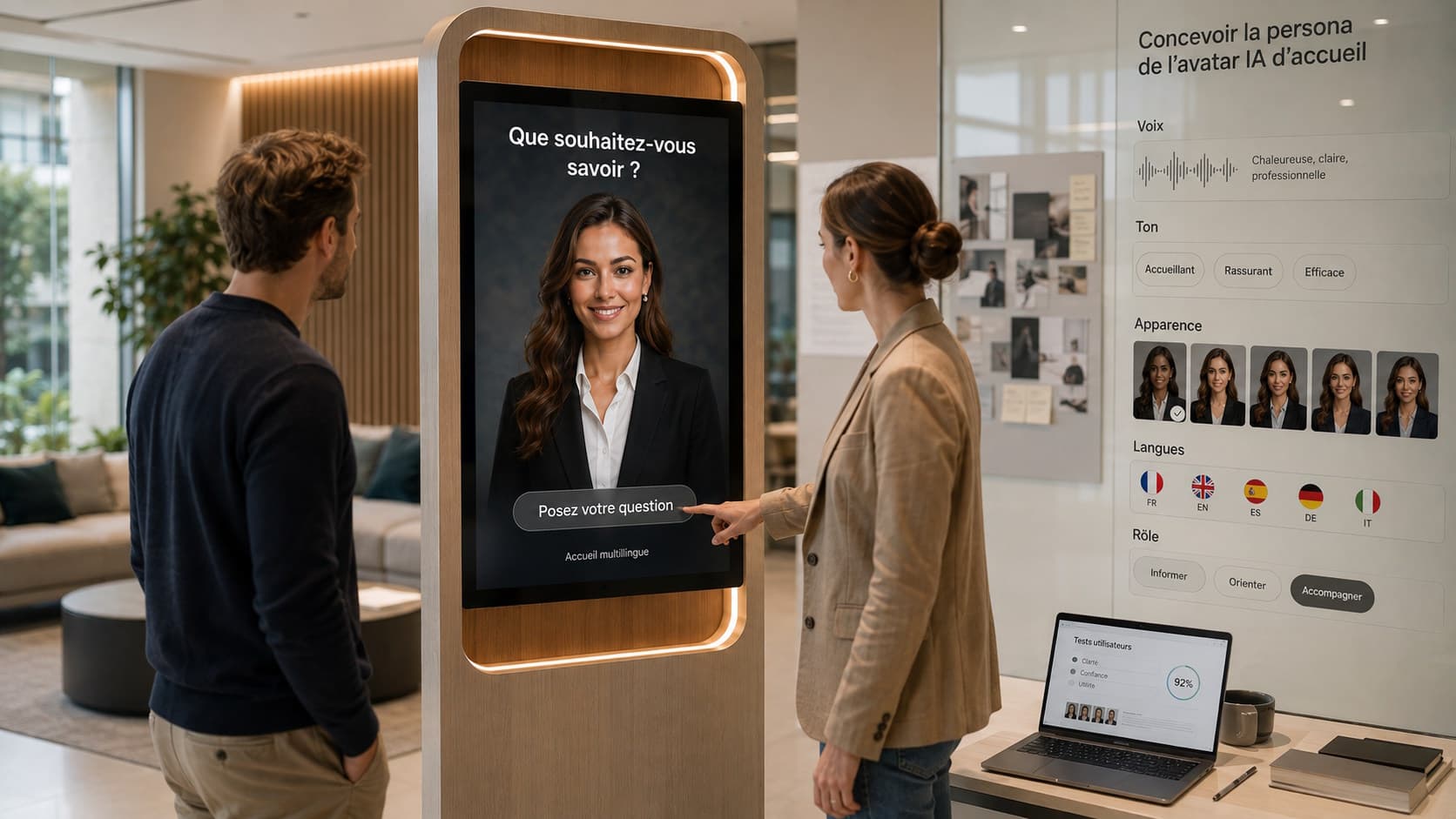
Orientation and practical information: answers to frequent questions (opening hours, prices, rules, location of restrooms, thematic routes) and indication of the day's events. An avatar on a screen or kiosk can provide continuous, multilingual availability for these repetitive requests.
Collection mediation and digital guided tours: the avatar can deliver contextualised commentary, propose thematic routes and answer questions about works or artists. For rich content, the avatar relies on a dedicated knowledge base for the collections.
Audio‑description and contextual accessibility: provide descriptions of works for visually impaired visitors, adapt the level of detail to the audience (general public, school groups, specialists) and offer a voice or text interface depending on the chosen hardware. These uses must be developed with the museum's accessibility and audio‑description teams, as they concern editorial content and the quality of sound rendering in the exhibition space, and must meet the needs of the relevant public (to be evaluated case by case).
Cross-cutting use cases: ticketing, shop, events
The avatar can direct visitors to paid services or offers (online ticketing, workshop booking, shop) but it is important to distinguish native capabilities from what requires integration. SANIA can guide and inform visitors about offers; deeper interactions with a ticketing, POS or reservation system require a specific integration with the system in question.
For the shop and commercial mediation, the avatar can present products, inform about availability or explain the provenance of reproductions and catalogues, provided that the produced contents and their usage rights are controlled by the museum.
Content requirements and secure ingestion of collections (RAG)
The avatar's effectiveness depends directly on the quality of the supplied content. SANIA can leverage an organisation’s knowledge base and use semantic search / RAG to retrieve relevant information from documents (object records, catalogue texts, audio‑guide transcripts, annotated images, etc.).
Before ingestion, it is essential to identify, classify and validate sources: museum records, catalogue texts, audio‑guide transcriptions, annotated images, etc. Ensure authorization to use texts and images and verify copyright and image rights before making them available.
Editorial watch points: standardise tone (general public vs expert level), clearly separate verified information from hypotheses or interpretations, and plan human validation for sensitive content or items with high heritage value. Set up an editorial review process and update rules to maintain temporal coherence of information (temporary exhibitions, loans).
Relevant technical integrations and limits to anticipate
Common integrations for a museum project include connecting to a museum CMS (to synchronise records and validated content), ticketing or reservation systems, and the site's digital signage to coordinate messages and screens. These connections are specific integrations and require development or APIs on the museum side.
Adopt a clear orchestration strategy: the conversational engine (LLM) relies on the knowledge base for factuality, the interface handles presentation (text, voice, multimedia) and third‑party integrations are called via secure API endpoints. Depending on the project, multiple LLMs can be used or tested to balance latency, cost and quality.
Security and data segmentation: any integration with internal systems must comply with the museum's network and security policies. Sensitive data (payment data, personal information) should remain in existing systems and not be exposed in the knowledge base without appropriate control mechanisms.
Museographic and regulatory constraints not to underestimate
Conservation and handling of digital content: ingesting collection‑related content must not undermine confidentiality rules or loan agreements. Check contractual clauses with lenders before publishing enriched records.
Copyright and image rights: ensure you have the necessary rights to publish texts, images or recordings of works and photographs. Third‑party content must be validated or excluded from the knowledge base accessible to the avatar.
Acoustics and interference: voice use in exhibition rooms may be limited by the sensitivity of works, internal regulation or proximity to other visitors. Consider placement of kiosks/screens and set sound levels in collaboration with conservation and visitor services.
Personal data protection: depending on the chosen configuration, interaction data processing may exist. Involve the data protection officer to define purposes, retention periods and consent modalities, and evaluate whether a data protection impact assessment (DPIA) is required given the project scope.
Accessibility, multilingual and vocal persona
Accessibility: an AI avatar can help make the museum more accessible by offering adapted routes, audio‑descriptions and text versions of commentary. However, effective accessibility also depends on hardware, kiosk ergonomics and interface quality. Plan tests with representatives of concerned audiences to validate ergonomic and content choices.
Multilingual: SANIA can communicate in more than 100 languages, which helps welcome international audiences. In a multilingual deployment, prioritise languages that are actually relevant to the museum's attendance and arrange editorial validation for each language to ensure translation quality and cultural nuance.
Persona and voice: define the persona (tone, language level, style) together with the mediation team. The voice can be customised in an appropriate configuration, subject to necessary rights. Also consider managing response length and the ability to interrupt vocal output when the user speaks again, for more natural exchanges.
Recommended architecture and operational technical points
Choice of architecture (cloud, edge or hybrid): the decision will depend on latency constraints, content confidentiality and maintenance. For very sensitive content, a hybrid or on‑premises architecture can limit data exposure; for easy scaling and frequent updates, cloud may be preferable. These choices should be weighed with IT and conservation teams.
Audio and speech recognition: microphone and speaker quality, placement in the space and ASR/TTS configuration strongly affect the experience. Reliable voice capture requires accounting for ambient noise and segmenting interaction zones.
Robustness and availability: plan fallback mechanisms (for example, on‑screen text responses if speech recognition fails) and technical supervision to ensure 24/7 availability if needed. Software and hardware maintenance, log monitoring and a support plan should be part of the project.
Pilot plan and ready‑to‑use operational checklist
Before a large‑scale deployment, a pilot validates UX choices, content quality and integrations. Pilot governance should involve mediation, conservation, IT, visitor services and visitor experience leadership to cover all operational and technical dimensions. Below is an operational checklist to use for a pilot.
Define pilot objectives and scope (priority uses and sites).
Select a limited number of routes and works for the pilot phase and prepare validated content (records, audio‑descriptions, mediation scenarios).
Verify content usage rights and complete legal review (copyright, loans, images).
Identify required integrations (CMS, ticketing, digital signage) and qualify APIs/security requirements as specific integrations.
Choose technical architecture (cloud/edge/hybrid) and plan on‑site audio and network needs.
Prepare user test protocols including users with specific needs for accessibility and multilingual coverage, with observation grids focused on mediation fidelity and technical response relevance.
Common mistakes and watch points
Underestimating content governance: editorial consistency, validation rules and update management are often neglected and lead to inconsistencies visible to the public.
Neglecting rights and loan contracts: publishing enriched records or images without prior verification can expose the museum to liability and jeopardise loan agreements.
Thinking only in technology: involving mediation and front‑of‑house teams early prevents unrealistic scenarios or solutions poorly adapted to visitors.
Confusing native features with integrations: do not present the avatar as if ticketing or payments were handled natively. Those interactions require specific integrations with the museum’s systems.
Measuring the pilot: which metrics to consider
Relevant indicators depend on defined objectives. An organisation may measure adoption (number of interactions), types of questions handled, satisfaction through separate surveys, factual quality of responses (human reviews) and resolution times for cases escalated to a human. These measures require external collection and analysis systems and are not provided natively by SANIA without proper configuration.
Prioritise actionable metrics that allow adjusting the project scope: which content types to prioritise, knowledge base training needs and UX improvements to implement.
Conclusion
An AI avatar project in a museum can enrich the visitor experience if use cases are prioritised, heritage content is rigorously validated and technical integrations are clearly identified. SANIA, as a professional conversational AI avatar able to operate 24/7 and communicate in more than 100 languages, can be deployed on a screen or on a tactile and voice kiosk depending on the chosen configuration. To explore how this approach could fit your museum and prepare a pilot adapted to your collections and constraints, you can request a demonstration of SANIA.