
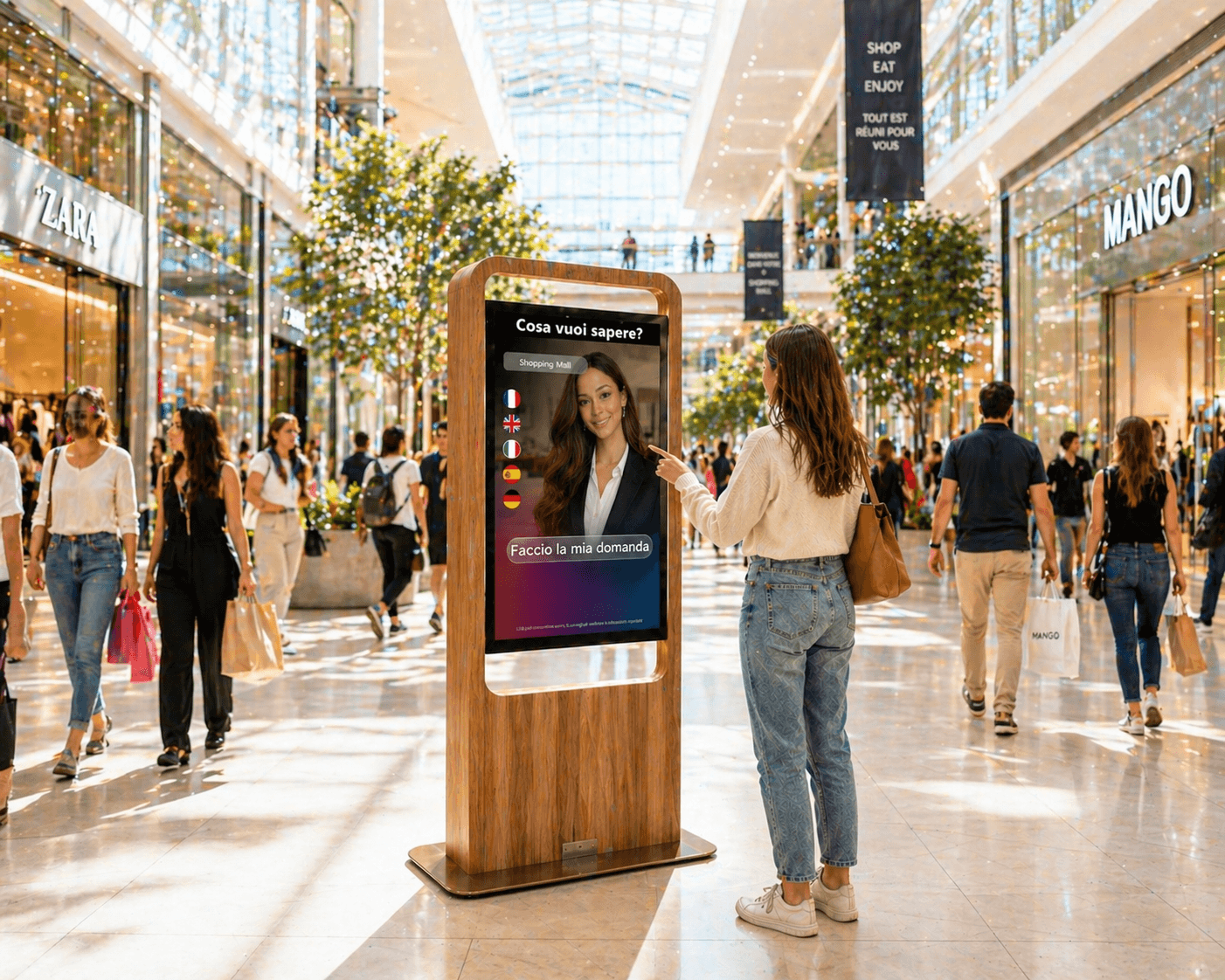
Introduction: why coordinate an avatar and digital signage in store
A fleet of screens and kiosks deployed in stores becomes more relevant when conversational interactions from an AI avatar and the content shown on signage panels are orchestrated. The operational objective is not merely to display a promotion on a screen, but to deliver a coherent, contextualized experience: the avatar informs the customer, directs them to a local promotion shown on a panel, and the cross‑screen journey remains fluid with no perceptible latency.
This guide is aimed at digital or omnichannel managers, customer experience project leads and IT managers who oversee screens and kiosks in stores. It provides proven technical patterns to integrate SANIA with the Sandisplay ecosystem, concrete UX scenarios, security and privacy rules to follow, and a checklist for a retail pilot.
Priority use cases to consider for a pilot
Before designing an architecture, prioritise a few high‑value use cases to test. The following cases quickly deliver operational clarity and allow validation of orchestration between the avatar and digital signage:
1) Contextual promotional trigger: the avatar draws attention to a local offer and asks the nearby panel to display the corresponding promo card.
2) Enriched multi‑screen product sheet: the avatar summarizes a product and invites the customer to view technical details or a demo on a dedicated in‑store screen.
3) Cross‑screen wayfinding: the avatar indicates the direction of a department and the entrance panel highlights the route or a local map provided by marketing according to the external display configuration (example hypothesis).
Technical architecture patterns: webhooks, events, cache and fallback
Coordination requires an architecture that minimises latency and supports graceful degradation when a component is unavailable. Three elements are central: events, webhooks and a local caching strategy.
Events and a lightweight broker: choose an events channel or internal bus that transports triggers originating from the avatar (for example 'show_promo_123' or 'open_product_456'). Depending on the setup, SANIA can call webhooks or functions to emit these events to Sandisplay or to an intermediary orchestrator.
Webhooks and function calls: in a common configuration, SANIA issues a webhook directed at an endpoint exposed by the display orchestrator. That orchestrator translates the event into specific actions on screens or kiosks compatible with Sandisplay. Using webhooks keeps core business logic on the server side and limits embedded logic on the persona.
Local cache and content preloading: to reduce perceptible latency, preload critical resources on display players (images, promo templates, short videos) and maintain a local catalogue. When the avatar triggers a display, the orchestrator sends only a render command referencing content already present locally. This pattern avoids ad‑hoc downloads and improves 24/7 resilience depending on the hardware and configuration chosen (configuration to be validated by the project).
Fallback rules and graceful degradation
Planning fallback scenarios is essential to maintain an acceptable experience when a component is unavailable. Different degradation levels can be defined:
Avatar‑side fallback: if the display orchestrator is unreachable, SANIA can inform the user verbally and propose an alternative, for example providing key information directly in the conversation or suggesting the user consult a nearby kiosk.
Display‑side fallback: if the screen does not have the requested content, the player can show a brand‑prepared generic message or revert to a predefined carousel of contents cached locally.
Monitoring and runbook: define operational rules to detect orchestration failures and trigger maintenance or manual escalation actions. Avoid automating escalations to people without organisational validation; provide clear processes so the support team can take over.
Cross‑screen UX scenarios: kiosk interaction to storefront and panels
Thinking about UX means imagining the customer's trajectory and minimising context breaks. Here are three practical scenarios and their event flows presented as implementation examples:
Scenario 1 – Local promotion triggered by conversation: a customer asks SANIA whether a promotion is running. The avatar identifies the relevant offer and fires an event to Sandisplay which displays the promo card on the nearest storefront panel. The user sees the promotion simultaneously and can ask the avatar for further details.
Scenario 2 – In‑depth product consultation: the avatar presents a product and offers to send the technical sheet to the aisle’s touchscreen. The trigger issues a command to the targeted screen, which displays the preloaded content. The user can then interact by touch to explore variants or request staff assistance.
Scenario 3 – Guided multi‑screen journey: for an in‑store campaign, the avatar initiates a journey; successive panels display steps or clues. Each panel receives orchestration events and synchronises on timing defined by the campaign. These scenarios require fine control of schedules and content priorities on the Sandisplay side.
Security, privacy and rights management
Coordinating voice interactions and displays requires attention to privacy and content usage rights. Several points deserve focus:
Limiting exposed data: when the avatar calls a display service, ensure only the identifiers necessary to trigger content are transmitted. If personal data is involved, define in advance the processing, purposes and legal bases that apply.
Logs and retention: do not assume SANIA automatically stores or forwards audio recordings or user traces. Log collection and retention must be contractually and technically defined according to the project privacy policy and applicable regulation.
Media rights management: content shown on panels (images, videos, creatives) should be managed in an asset repository with clearly identified rights. Provide an approval workflow for campaigns to avoid accidental publication of unauthorized materials.
Operational metrics to instrument and collection methods
SANIA or Sandisplay do not necessarily provide all required dashboards natively; it is useful to define in advance which data you want to collect and how. Some relevant metric categories to evaluate orchestration are:
Availability and latency: measure webhook response times and perceived latency between the avatar trigger and the appearance of content on the screen. These measurements require instrumentation on the orchestrator side and timestamped logs from the player.
Trigger success rate: track the proportion of events issued by the avatar that result in an actual render on screens. This requires correlating an event identifier between SANIA, the orchestrator and the Sandisplay player.
Qualitative user experience: gather customer feedback via separate surveys or field studies to complement technical metrics. An organisation may choose to add a short survey not integrated into the avatar depending on the chosen configuration.
Pilot checklist for retail acceptance tests (UAT items)
Before launching a pilot in store, validate the following items in test:
Clear definition of use cases and cross‑screen scenarios to test under real conditions
Integration points: webhook endpoints, API security, authentication and permissions between SANIA and the Sandisplay orchestrator
Preloading of critical content on display players and verification of local render times
Fallback scenarios tested: orchestrator outage, missing content, high latency
Logging modalities and log retention plan contractually clarified
Validation of media rights and approval workflow for campaigns distributed via Sandisplay and the SANIA avatar in the targeted store
FAQ (frequent practical questions)
Q: Can the avatar trigger any content on the screens? A: The avatar can issue commands via webhooks or function calls depending on the configuration. The contents actually displayed will depend on the catalogue available on players, permissions and business rules defined in the Sandisplay orchestrator.
Q: How to limit risks related to voice interactions and displays? A: Risk limitation involves careful design of payloads sent, minimising shared data, implementing access control for endpoints and a runbook for incidents. Any data retention must be decided in advance and documented in line with the project privacy policy.
Conclusion: prepare a coordinated, controlled pilot
Coordinating an AI avatar like SANIA with a digital signage system such as Sandisplay can enrich the in‑store experience, provided orchestration is designed around simple, robust patterns. Prioritise a few use cases, define your events and webhooks clearly, preload critical content, and test fallback scenarios before commissioning. To explore how to integrate SANIA with your screen fleet and build a pilot adapted to your constraints, you may request a demonstration and an operational diagnosis.