
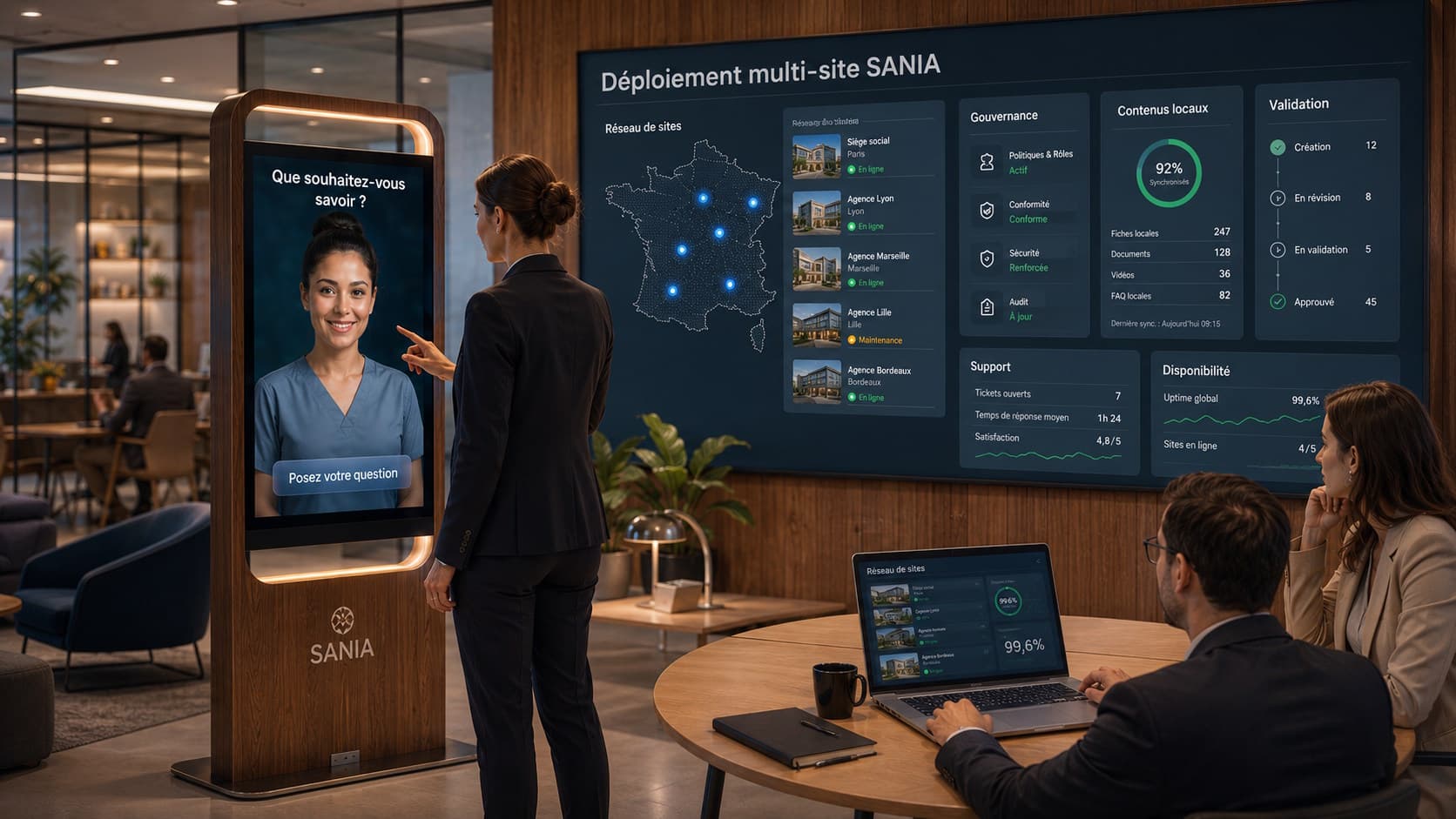
Introduction: why orchestrate an AI avatar and digital signage
Placing a conversational AI avatar on a screen or kiosk alongside a digital signage network requires more than simply co-locating two technologies. The operational objective is to provide visitors with continuity of message between passive content shown on screens and the active interactions offered by the avatar.
This guide is aimed at customer experience managers, marketing directors, digital signage leads and IT executives who need to decide how to orchestrate SANIA with Sandisplay. It proposes priority business scenarios, a reference technical architecture, synchronization workflows and UX rules to harmonize tactile and voice experiences, as well as a pilot checklist and KPIs to measure.
Priority business scenarios to cover
Before addressing technical architecture, identify the scenarios that deliver the most business value. Here are the most common cases to prioritise during a pilot:
Passive to active: content published on Sandisplay (promotion, signage, event) invites the visitor to start an interaction with the avatar via QR code, touch button or voice trigger. The goal is message continuity and deeper information retrieval.
Contextual recall: the avatar picks up the context of a recent display (for example a daily offer) to provide details, times or conditions, without forcing the user to repeat everything.
Session transfer to a dedicated screen: when an interaction requires more space or tactile input, the avatar offers to continue on a kiosk or nearby screen, recalling the subject and steps.
Fallback and continuity message: when the avatar is unavailable (maintenance, offline), Sandisplay shows a substitute message and indicates alternatives (opening hours, contact).
Recommended technical architecture for orchestration
A clear architecture simplifies synchronization between SANIA and Sandisplay and helps maintain editorial consistency. Here are the components and integration principles to consider.
Key components: the SANIA avatar (interaction front), the Sandisplay manager (scheduling and distribution server), an event orchestrator (middleware), a RAG and cache layer for business content, and APIs/webhooks for communication between components.
Technical integration principles: prefer exchanges via REST APIs or webhooks to trigger actions and share context. SANIA can be configured to call webhooks or HTTP endpoints to fetch external information during a conversation. Scheduling and content synchronization should be driven by an orchestrator that knows the state of screens and kiosks.
Synchronization and scheduling workflows
The synchronization workflow describes how a message moves from passive broadcast to active interaction and back. Three operational steps are useful to formalize: publish, notify, resume context.
Publish: content teams publish a campaign on Sandisplay using its scheduling tool. Each campaign can carry lightweight metadata indicating whether it should trigger an active interaction (for example: 'invite-avatar'), the relevant languages and the business tag.
Notify: when the campaign starts broadcasting, the orchestrator notifies SANIA via an API or webhook sending the tag and context. SANIA can then adapt its script to offer an invitation coherent with the broadcast content. This notification does not imply an automatic connection to a third-party system if no integration is configured; it represents an option to implement depending on the project.
Resume context: if the visitor triggers the interaction, SANIA can keep session context (during the session) to answer follow-up questions. For precise business information, SANIA relies on the organisation's knowledge base provided via RAG.
RAG, cache and business content management
To ensure responsiveness and consistency, combine a RAG layer for rich content with a caching mechanism for common replies and strongly consistent elements (opening hours, prices if kept up to date). SANIA can use an organisation-specific knowledge base and semantic search to find relevant information.
Architecturally, plan for: controlled ingestion of business documents (common formats), rules for content refresh, and an orchestrator-side cache for frequently requested information to limit latency and calls to online services. Cache policy will depend on how current the content needs to be.
Content templates and UX rules to harmonize touch and voice
Harmonizing UX between passive content and active interaction requires editorial templates and clear rules. Create microcopy templates for: interaction invitations, context reformulation, multimodal responses and fallback messages.
Some practical rules: design short, explicit invitations on screens, provide a text version of the same messages for readability, and define how the avatar proposes the next steps depending on the chosen mode (touch or voice). For example, when an interaction starts by voice, the avatar should offer a visible touch option to continue on a kiosk if the visitor prefers.
Pay attention to interruption and resumption: SANIA can interrupt a vocal reply if the user speaks again, to make the exchange more natural. Also define confirmation rules for sensitive actions and strategies to replicate information (subtitles, complementary displays) to improve accessibility.
Production constraints: multilingual, 24/7 availability and offline fallback
Producing content for a hybrid system requires accounting for several operational constraints. Regarding multilingual support, SANIA can communicate in more than 100 languages. The challenge is ensuring that messages broadcast by Sandisplay and the avatar's replies remain consistent in the languages relevant to your audience.
For availability, SANIA can operate 24/7 in an appropriate configuration. Plan fallback messages and behaviours: alternate displays or contact instructions when the avatar is unavailable. The fallback can be handled by Sandisplay by broadcasting prepared content that informs visitors of alternatives.
Finally, prepare an offline strategy: preload standard responses on the kiosk and on the local orchestrator, and define which interactions can be offered without cloud access. Implementing these mechanisms depends on the chosen edge/cloud architecture.
Suggested KPIs and measurement methods
Measuring the effectiveness of a hybrid system requires distinct metrics for digital signage and conversational interactions. It is important to note that SANIA does not provide these indicators natively: a collection method and separate tools are needed to measure them.
Examples of possible KPIs and how to instrument them:
Passive→active engagement rate: proportion of campaigns that generate at least one interaction with the avatar. Measurable via orchestrator logs and events emitted by SANIA.
Session completion rate: share of interactions that end with a satisfactory answer or an expected action. This indicator requires a clear definition of 'completion' and recording of interaction statuses.
Average response latency: perceived time between the visitor's request and the first vocal/visual response. Measurable via timestamps on the front and middleware.
Effective multilingual coverage: number of languages enabled and correctly served, verified through user tests and multilingual query sets.
Offline fallback rate: frequency at which the system switches to the alternate message. Useful to assess resilience mechanisms.
Operational checklist for a multi-site pilot
Before moving to production, validate the pilot using a structured checklist. This list helps cover the technical, editorial and organisational aspects needed to avoid message fragmentation across a multi-site network.
Define the priority scenarios and use cases to be tested during the pilot.
Set up the orchestrator and API/webhook endpoints between Sandisplay and SANIA, with end-to-end tests.
Prepare the knowledge base and multilingual templates, prioritising critical business information.
Configure scheduling rules and campaign metadata to mark 'invite-avatar' content.
Establish fallback messages for unavailability and test offline behaviours on each hardware type.
Plan UX tests for voice and touch, including interruptions, context resumption and subtitling if needed.
Conclusion and next steps
Orchestrating SANIA with Sandisplay enables a coherent customer experience between passive content and active interactions. Success depends on prioritising business scenarios, a clear orchestration architecture, shared editorial templates and UX rules adapted to voice and touch modes.
When integrated with Sandisplay in an appropriate configuration, SANIA can provide conversational reception on a screen or kiosk with vocal and tactile interactions, an organisation-specific knowledge base and continuous availability depending on the chosen setup. To explore how this orchestration can be implemented in your multi-site environment, request a personalised SANIA demonstration.