
Introduction
Choosing hardware to deploy an AI avatar on a kiosk or display is a major operational decision. Project managers, IT directors, procurement teams and integrators must balance experience requirements, physical constraints and operating costs. This guide provides a practical decision framework: mapping use case → hardware constraints → minimal specification and optimal specification, followed by recommendations on SoC/OS, audio, network, power, enclosures, FAT/SAT testing and maintenance.
Quick mapping: use cases and hardware implications
Before purchasing, start by situating the use. The constraints of an information point in a train station differ from a wayfinding kiosk in a shopping mall or an outdoor booth. For each situation, identify three elements: acoustic environment, interaction requirement (touch, voice or mixed), and physical constraints (exposure, vandalism, 24/7 availability).
Below is a simplified mapping to help convert the use case into concrete hardware specifications.
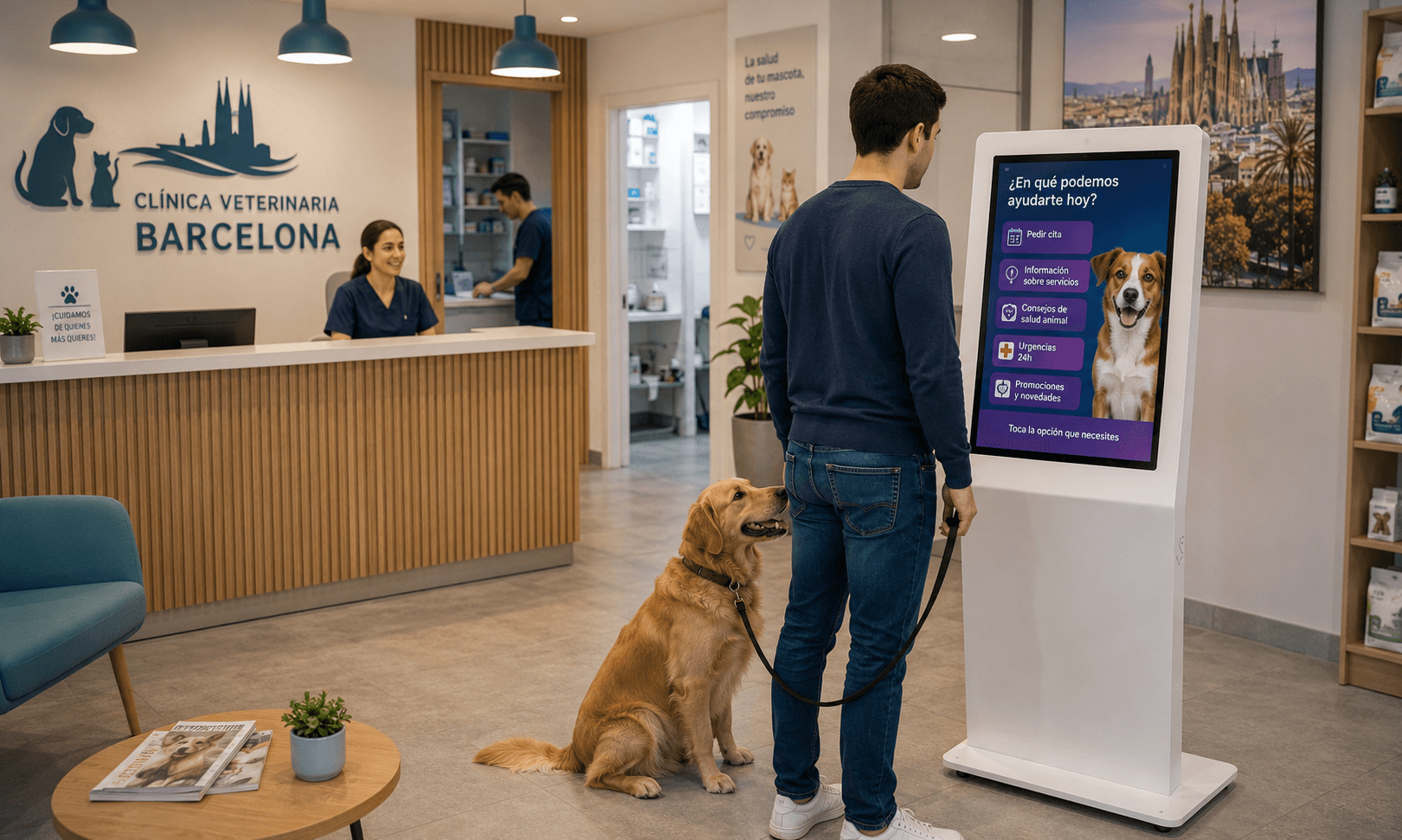
Quiet indoor space (administrative reception): low noise constraints, interaction mainly touch with optional voice. Minimal specification: 22–27-inch legible screen, Android or Windows SoC/player with wired connectivity, simple quality microphone, intelligible TTS. Optimal specification: 27-inch anti-reflective screen, microphone array with noise reduction, high-quality TTS, lockable enclosure.
Noisy retail area (store, mall): high ambient noise, voice interaction requires ASR optimizations. Minimal specification: 27-inch screen, directional microphone or array, clear audio amplification, SoC powerful enough for a local ASR pipeline if planned. Optimal specification: microphone array with beamforming, partial acoustic isolation of the speaker, optimized microphone placement, option of a physical cell to limit external noise.
Sheltered outdoor kiosk: exposure to weather and sun. Minimal specification: high-brightness screen, suitable IP-rated enclosure, passive ventilation and anti-vandalism. Optimal specification: very high-brightness screen, dust filtering, active thermal control, reinforced locks and cellular fallback connectivity.
High-traffic wayfinding kiosk (station, airport): 24/7 availability, easy maintenance and redundancy. Minimal specification: robust SoC/player, easy access for maintenance, support SLA. Optimal specification: hot-swappable components, MDM for deployment and patching, spare parts stock.
SoC and operating system: selection criteria
The choice of SoC and OS conditions integration, maintenance and performance. Three families commonly recur: Samsung SoC displays running Tizen, Android solutions, and Windows platforms. Each option has advantages depending on project scope.
SoC/Tizen displays often provide an all-in-one solution that reduces the number of external components and eases integration with display networks. Depending on configuration, Tizen can be suitable when the application is standardized and the hardware ecosystem is controlled.
Android offers great application flexibility and a rich ecosystem of apps and drivers. It is relevant when deep customization or specific client-side integrations are expected.
Windows remains relevant if integration with legacy business applications or specific drivers is necessary. It may require more powerful hardware and a more sustained software maintenance policy for updates and security.
Audio and voice interaction: equipment and best practices
Audio is central for a conversational AI avatar. Two aspects must be considered: voice capture (microphone) and playback (speaker and TTS). For capture, a microphone array with voice processing (beamforming, echo cancellation) brings greater robustness in noisy environments. For playback, speaker quality and TTS clarity directly affect the experience.
When voice interaction is planned, plan microphone placement relative to noise sources, favor enclosures that limit reverberation and provide UX mechanisms allowing the user to prefer touch if needed. SANIA can operate with voice interaction and, depending on configuration, handle interruption of a vocal response when a user speaks again.
Connectivity and power: reliability and redundancy
Connectivity affects latency and availability of functions that rely on external services. A wired Ethernet link remains the most stable solution for fixed deployments. Wi‑Fi can serve as a secondary solution or for installations without wired access. In some critical contexts, cellular backup may be relevant when continuity of service must be maintained despite a local network outage.
For power, plan devices that allow remote rebooting and orderly failover. Depending on the importance of continuity, uninterruptible power solutions or automated relays can be considered to avoid interruptions during short power outages.
Anticipate documentation of the network infrastructure (VLANs, firewall rules) and latency constraints imposed by LLM/hybrid LLM architectures. Do not assume all interactions remain local: clearly define expected flows and verify available onsite network capacity.
Enclosures, mounting and thermal constraints
The enclosure protects components, facilitates maintenance and determines thermal behavior. For 24/7 operation, pay special attention to heat dissipation and ventilation. A closed kiosk without appropriate ventilation risks increasing internal temperature, which can reduce component lifespan.
Depending on the environment, consider enclosures with dust filtration, anti-corrosion treatments, anti-vandal protections and locking options for internal access. For installation, favor mounts that comply with VESA or local standards, and make access easy for routine maintenance operations.
Physical security and access management
Physical security consists of protecting equipment from theft, intrusion and unauthorized handling. Provide locks, lockable rear panels and protected power cables. Managing access to the enclosure, combined with a documented maintenance procedure, limits operational risks.
On the software side, provide an update management mechanism and restricted administrator accounts. The security strategy should be described in the RFP or supplier documentation to avoid surprises at operation time.
Factory and site acceptance tests (FAT and SAT)
Before final acceptance, two testing phases are recommended: factory acceptance tests (FAT) and site acceptance tests (SAT). The FAT validates hardware and functional conformity in controlled conditions: boot, connectivity, visual rendering, audio, and interface checks. The SAT reproduces real operating conditions and verifies integration with the local ecosystem (network, power, physical placement).
Define representative test scenarios: startup and recovery after power loss, audio quality in representative conditions, touch interactions, behaviors in case of connectivity loss, and operator recovery procedures. Document non-conformity cases and correction procedures with the supplier.
Maintenance, MDM and SLA to industrialize operation
Industrializing a fleet of kiosks requires remote management tools, a preventive maintenance plan and an appropriate SLA. A mobile device management or supervision tool facilitates deployment of updates, remote reboot and hardware inventory. Depending on the chosen configuration, these tools can manage SoC/Tizen displays, Android devices or Windows stations.
Clarify with your suppliers responsibilities for OS and application updates, spare parts management and intervention levels. Prepare a critical stock of components and a clear incident escalation procedure to limit time to service restoration.
Procurement checklist for a hardware RFP
To draft an RFP or technical order, include the following items. This checklist is designed to facilitate offer comparison and ensure that all operational constraints are considered.
Description of the use case and installation environment (indoor, sheltered outdoor, high traffic, noisy).
Screen requirements: size, brightness, anti-reflective treatment, touch or not, resolution and SoC/OS compatibility.
SoC/OS: specify desired OS (Tizen, Android, Windows), integration mode, update policy and compatibility with the Sandisplay ecosystem according to the project.
Audio: microphone array or directional microphone, echo cancellation, speaker quality, TTS compatibility.
Connectivity: Ethernet, Wi‑Fi, possibility of cellular fallback, network requirements (VLAN, firewall), remote access for maintenance.
Power: redundancy options, ability for remote reboot, documentation on consumption and local electrical requirements. Note: describe local constraints rather than imposing arbitrary solutions in number or power (exact requirements to be defined with the integrator). Please provide a support policy, SLA, part replacement lead times and MDM options.
Frequently asked questions
Should I favor a SoC/Tizen display or an Android/Windows architecture?
The choice depends on the expected degree of customization and the technical ecosystem. Tizen is relevant when an integrated and standardized solution is desired. Android offers more application flexibility. Windows can be chosen for specific business needs. Evaluate maintenance, update availability and integration with your tools before deciding.
How to test audio quality before deployment?: perform in-situ measurements or comparative tests reproducing the expected noise level, verify microphone capture at different distances and TTS clarity in real conditions.
Conclusion
Specifying hardware for an interactive kiosk hosting an AI avatar requires translating use cases into technical constraints and choosing pragmatic trade-offs between cost, robustness and maintainability. SANIA can be deployed on displays or kiosks with touch and voice interaction, in multiple OS and LLM engine configurations depending on the project, and integrate with the Sandisplay display ecosystem. To study how this hardware approach could fit your environment and receive an RFP checklist adapted to your context, you can request a SANIA demonstration.