
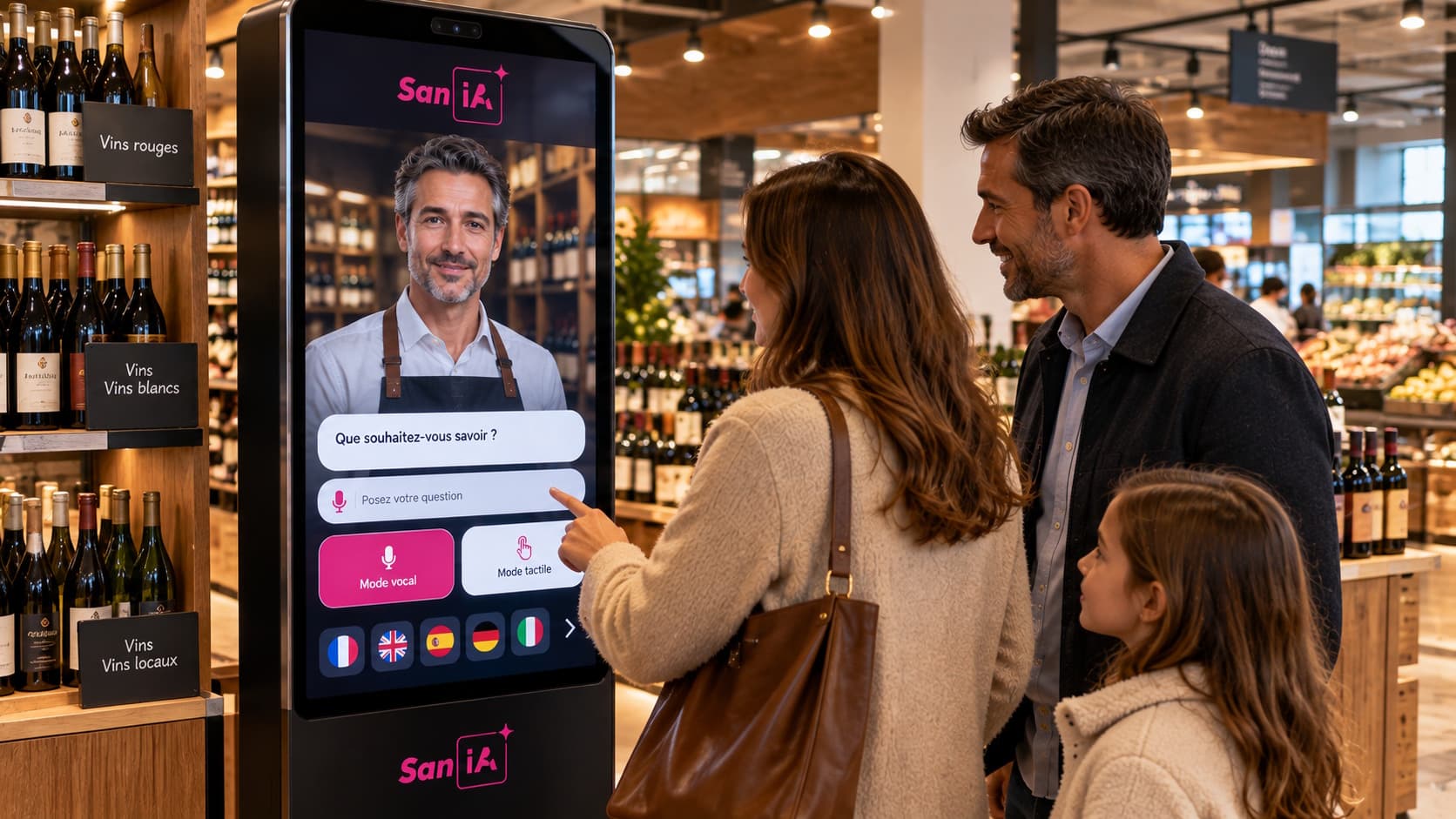
Introduction: why a dedicated UAT protocol for in‑store AI avatars
A pilot of an AI avatar on a kiosk or screen must demonstrate in real conditions that the experience meets business objectives: welcome, information, orientation and guidance. A structured user acceptance test (UAT) protocol prevents the illusions created by isolated technical tests and ensures the avatar works with real voice and touch interactions, in several languages, and with the business documentation base.
This document provides a ready‑to‑use protocol: definition of objectives, typical test scenarios, multilingual recruitment method, observable scripts, qualitative and quantitative indicators to monitor, technical checklists and operational go/no‑go criteria. SANIA‑specific elements are clearly indicated where they must be verified during the pilot.
Define business objectives and pilot scope
Before any test, formalize the concrete objectives of the pilot. They must be tied to specific uses: product information retrieval, in‑store orientation, answers to frequent questions, multilingual access or guidance to a service. Each objective becomes prioritized use cases that will form the basis of the test scenarios.
Specify the technical and operational scope: enabled interaction modes (voice, touch, or both), languages to cover, potentially available integrations (inventory, opening hours, dynamic signage), and environmental constraints (noise, lighting, foot traffic). Important distinction: what is a native capability of the avatar and what will require a specific integration.
Typical user scenarios: voice, touch and multilingual
Build a set of scenarios covering the most frequent journeys and failure situations. Each scenario must include the user objective, context, prerequisites (language, availability of an integration), the user script and outcome criteria. Vary scenarios by: voice‑only interactions, touch‑only interaction, mixed journeys (touch then voice), and language switching mid‑session.
Examples of business cases to include: product information request, locating an aisle or a product in stock, requesting opening hours and services, a simple regulatory or safety question, and requests requiring escalation to human staff. For multilingual tests, include native speakers and non‑native speakers to assess ASR robustness and the phrasing of responses.
Observable test scripts and observation grid
Each test session must be conducted with a precise script and an observation grid filled in real time by the tester. The grid documents the following objective elements: initiation (time to start the interaction), ASR comprehension (did the avatar transcribe the request correctly?), relevance of the response, TTS clarity and volume, touch ergonomics (menus, labels), perceived latency, need for escalation and declared user satisfaction.
Supplement these observations with qualitative notes on intonation, recurring confusions and unanticipated user expressions. The goal is to produce actionable traces to correct the documentation base, adjust prompts and microcopy, or improve ASR/TTS parameters.
Observation grid fields: test ID, scenario, language, mode (voice/touch), observed ASR transcription, response provided, interaction duration, human intervention required, pass/fail status, comments.
Recruitment of participants and sample size
Recruitment must aim for representativeness of real visitors: demographic profiles, levels of familiarity with the tool, spoken languages and usage behaviours (preference for touch or voice). Prioritize diversity over raw volume to identify problematic use cases and linguistic or cultural biases.
Rather than imposing a fixed number, organise tests in iterations until qualitative saturation: when the same recurring issues emerge and few new observations appear, the initial test phase can be considered covering. This principle avoids an arbitrary threshold and adapts to site traffic and the complexity of the tested scope.
Executing tests in store: logistics and best practices
Schedule sessions during representative traffic windows. Prepare the environment: clear signage indicating a test is in progress, confidentiality instructions, and permissions if recordings are made. Remember that personal data collection must comply with applicable regulations and that SANIA's configuration will depend on retention options chosen by the organisation.
During the session, limit tester interventions to avoid biasing behaviour. Record anonymised samples of interactions if the pilot configuration allows it and consent is obtained. Use the observation grid to collect objective measures and immediate qualitative feedback.
KPIs and go/no‑go criteria: what to measure and how to decide
Select a limited set of quantitative and qualitative indicators aligned with business objectives. Useful dimensions include: perceived resolution rate by testers, escalation rate to human intervention identified by observation, ASR comprehension quality in the tested languages, average perceived latency and immediate user satisfaction. Specify collection methods: observation grid, separate post‑interaction survey, or external instrumentation depending on available integrations.
For go/no‑go criteria, prefer readable operational criteria: if primary business requests are not reliably resolved in priority languages, if ASR systematically fails in real context, or if the touch interface prevents access to essential functions, the pilot cannot be validated for progression. Avoid setting universal numeric thresholds without context: these criteria must be adapted to project ambition and business criticality.
Technical checklist to validate during the pilot
During UAT, validate technical elements that impact the experience. Check notably ASR robustness in enabled languages, TTS quality and intelligibility, relevance of responses from the RAG documentation base, fallback behaviours when the documentation source is insufficient, and perceived latency for LLM calls or real‑time integrations.
For SANIA, verify the following in the pilot configuration: ability to switch between voice and text according to settings, maintenance of conversational context during a session, configured multilingual availability, and adequacy of the knowledge base provided by the organisation. Integrations with third‑party systems must be tested as distinct developments.
Technical checklist summary: ASR (real‑condition tests per language), TTS (intelligibility, volume), RAG (relevance and cited sources), error handling and fallback, LLM call latency, critical integrations tested, simulated 24/7 availability.
Escalation process and handling failures in production
Define in advance the situations in which the avatar should invite the user to contact staff. The pilot must document these cases to avoid experience breaks: sensitive regulatory questions, safety issues, requests requiring access to protected systems, or persistent incomprehension after several attempts.
Do not assume an automatic handover mechanism: prepare template messages, how the avatar informs the user and the recommendation logic toward a human interlocutor. The playbook 'Switching to a human agent from an AI avatar' can serve as a reference to formalise these operational rules.
Exportable templates: scenarios, observation grid and acceptance report
To facilitate execution, here are templates you can reproduce in a spreadsheet or a collection tool:
Scenario template: ID | Scenario name | Objective | Language | Mode (voice/touch) | Precondition | User script | Expected avatar actions | Success/failure criterion | Remarks.
Observation grid template: test ID | Scenario | Participant (profile) | Language | Interaction start | ASR transcription | Response provided | Duration | Human intervention | Status | Detailed comments.
Acceptance report template: Pilot context | Tested scope | Summary of qualitative results | Summary of technical results | Blocking points | Required improvements | Priority action list | Operational recommendation (go / go with reservations / no‑go).
SANIA‑specific points to verify in the pilot
Among SANIA's confirmed capabilities, verify during the pilot: multilingual communication configured for relevant languages, voice and touch interaction according to the selected configuration, ability to maintain context during a session and the exploitation of the organisation's business knowledge base. These elements are native or configurable components whose quality must be validated in real conditions.
If your project includes specific integrations (inventory, opening hours, POS), treat them as distinct developments and test them as such. Likewise, management of custom voices or voice cloning is only possible if rights and configuration are provided and must be validated during the pilot.
Quick FAQ
How to measure satisfaction without native instrumentation? An organisation can collect immediate satisfaction via a short separate survey after the interaction, or via the observation grid filled by a tester. These methods must be decided before the pilot.
Should the entire documentation base be translated for every language? No. SANIA can communicate in more than 100 languages when configured. Priority should be given to key business information and their quality in languages relevant to your audience. The localisation strategy will depend on your objectives and resources.