
Introduction: scope of this guide
This guide is aimed at IT managers, project leads, procurement officers and facilities managers who must purchase and prepare a screen or kiosk to deploy an AI reception avatar. It provides a concrete hardware specification, recommendations for site preparation and on-site acceptance protocols to achieve a reliable 24/7 deployment.
The objective is not to prescribe specific products but to provide pragmatic criteria and acceptance scenarios for three common configurations: touch-only, voice-only, and hybrid touch+voice.
Define the usage scenario and its technical implications
Before any purchase, formalize the primary use cases: static information and touch navigation, natural voice conversation, appointment booking via integration, or a mix. Each scenario affects the choice of screen, audio, camera and the SoC/OS selected.
Concrete impacts: voice interaction requires a robust audio chain (directional microphones, noise processing), while touch favors a durable projected capacitive panel and an interface optimized for public use. A hybrid project will require equipment and software integration that handle smooth switching between modes.
Hardware specifications: screen, kiosk and SoC/OS
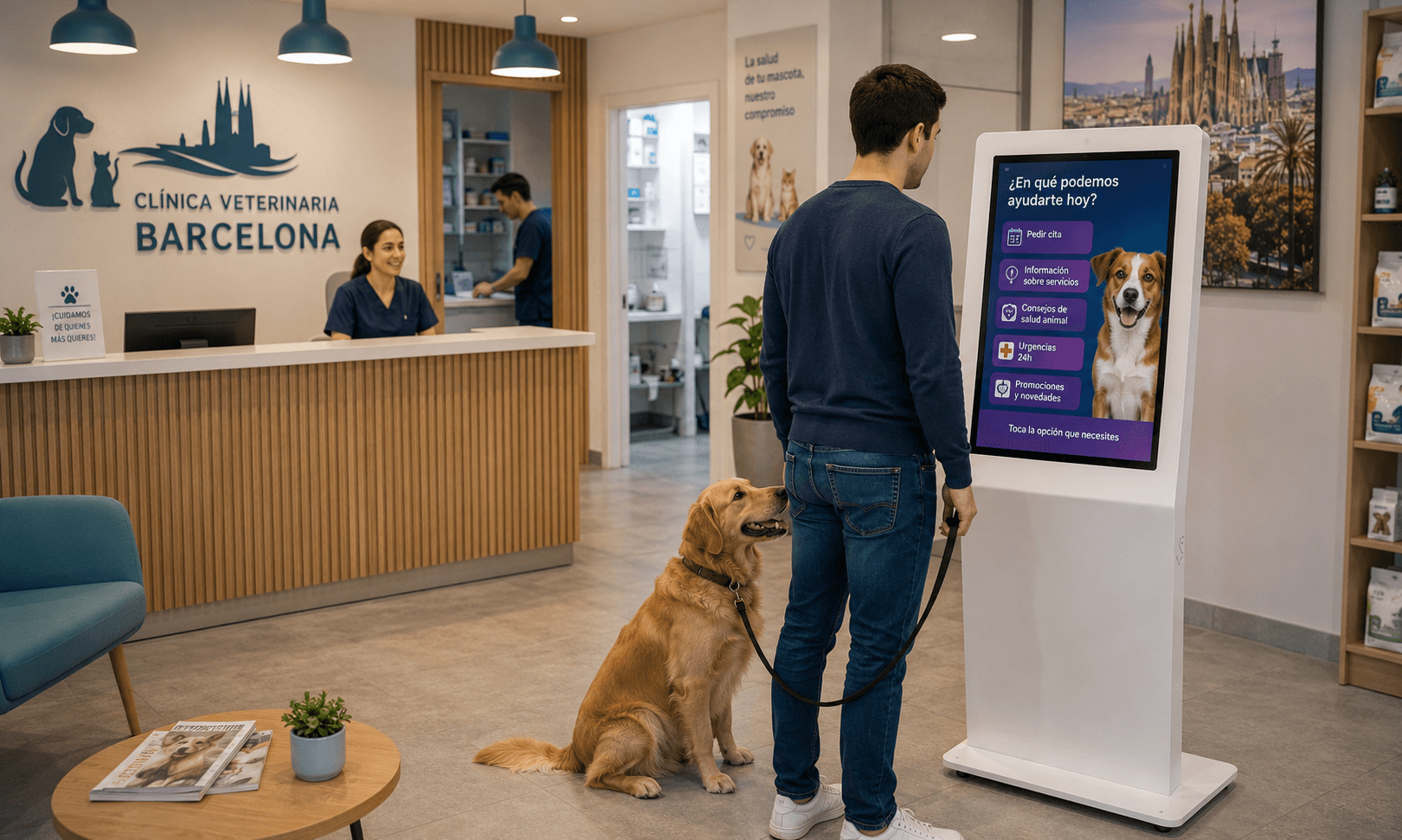
Screen or kiosk. Choose a format suited to traffic and space: a freestanding kiosk for an isolated reception point, a wall-mounted screen for a passive information point. For public use, favor hardware designed for intensive service and prolonged operation.
Touch panel. For touch use, prefer a commercial-grade projected capacitive panel, multi-touch capable and designed for heavy use. Verify surface robustness and ease of repair or replacement of the panel.
SoC and operating system. Depending on available hardware and integration constraints, it is common to deploy the avatar on Samsung Tizen SoC screens, on compatible Android platforms, or on Windows systems in kiosk mode. The choice depends on hardware compatibility, security requirements and desired integrations. Plan to assess application availability and the possibility of deploying remote updates.
Connectivity and interfaces. Ensure the screen or kiosk offers reliable network interfaces (Ethernet, Wi‑Fi), USB or GPIO ports if external peripherals are needed, and remote management capabilities aligned with organizational policy. These elements should be validated during the procurement phase without presenting them as exclusive prerequisites for the avatar.
Audio and acoustics: microphones, speakers and environment
Audio chain. For natural voice interaction, microphone quality and playback are critical. Consider directional microphones or microphone arrays according to the configuration. The speaker must provide clear output in the venue's ambient conditions.
Site acoustics. Assess ambient noise levels and sound reflections. Very noisy or highly reverberant locations require a specific approach: position the device away from noise sources, apply local acoustic treatment or configure the speech recognition model accordingly.
Accessibility. Provide alternatives when voice is not suitable: touch interface, text display of synthesized speech, or a loaned headset if needed. Accessibility depends on the hardware/interface combination and the installation.
Camera, privacy and compliance for the installation
Use of camera. A camera can enhance interaction (for example avatar gaze orientation) or provide additional functions. Any camera use must be precisely defined in the project and accompanied by a privacy assessment.
Privacy protection. Clearly inform visitors of any camera presence, its purposes and retention periods for images if applicable. Deploying a camera implies organizational decisions on video flow management, securing and controlling access to the data. These aspects depend on the chosen configuration and internal policies.
Minimize collection. When the camera is not necessary for the core service, avoid keeping it enabled continuously. Favor technical modes that process information locally and do not store images, unless an operational and regulatory justification is formalized.
Mounting, vandal-resistance and power
Mounting and placement. Choose mounting solutions adapted to the venue: wall-mounted, floor-standing, integrated into a counter or on a pedestal. Verify mechanical strength of fixings and ease of access for maintenance.
Physical security. For publicly accessible spaces, assess anti-vandal protections, secure enclosures and reinforced glass. These options should be chosen according to expected risk level and the overall design of the installation.
Power and redundancy. Plan for reliable, secured power. Depending on the service criticality, consider redundant power solutions or the possibility of adding an uninterruptible power supply to allow controlled shutdown during an outage. The exact nature of redundancy will depend on local constraints and the operations plan.
Network and IT security: preparing infrastructure for a reliable service
Stable connectivity. Ensure availability of a stable—and where possible redundant—network connection. A conversational AI avatar’s proper functioning depends on the ability to query external services or cloud resources according to the chosen architecture.
Security and segmentation. Plan for the screen or kiosk to be placed on a dedicated or isolated network segment according to your organization’s security policy. Include necessary filtering rules, TLS certificate management and secure update procedures.
Quality of service. Anticipate quality of service management (latency, stability) on the network and validate compatibility with local constraints (proxy, filtering, DPI). These elements must be tested under real conditions during acceptance.
Site-ready checklist before deployment
Before installing the screen or kiosk, review an operational checklist to avoid site rework: approved placement plan, tested network access points, power present and secured, mounting plan and structural points checked, anti-vandal devices chosen if needed, and privacy signage prepared.
Other preparations: provide a maintenance area, secure technician access, stock critical spare parts and define update procedures for software and the operating system. Document responsible parties and contact details for interventions.
Placement and plans validated
Network access tested (Ethernet/Wi‑Fi)
Power and electrical protection in place
Mechanical mounting and strength test
Privacy signage and GDPR preparations
Maintenance plan and spare parts identified
Acceptance protocols and tests to run on site
Acceptance tests must cover hardware, audio, touch and network resilience. Run systematic tests under real conditions and document results for each device before commissioning.
Recommended tests: touch verification (responsiveness, accuracy, multi‑touch), voice tests (recognition under ambient conditions, interruption and resumption), audio tests (playback and intelligibility), camera tests if present (activation, masking, non‑recording), network tests (stability, perceived latency, behavior on connectivity loss) and restart/recovery tests.
Validation procedure. For each test, define clear qualitative acceptance criteria, record deviations and plan corrective actions before final delivery. Include real usage scenarios during acceptance, for example long interactions, interruptions and simultaneous load cases.
Touch acceptance: full typical user flow
Voice acceptance: dialogue playbacks under real conditions
Network acceptance: simulated outage and recovery
Robustness acceptance: restart, update and recovery
24/7 operation and operational maintenance
Prepare operations by defining a simple runbook: restart procedure, log locations, support contacts and maintenance plan for hardware components. Anticipate a stock of critical parts, notably a touch panel and an audio module if these are not easily repairable on site.
Monitoring and updates. Plan secure procedures for system and application updates, as well as operational monitoring which can rely on existing supervision tools. Implementing a preventive maintenance plan facilitates continuous operation.
Scaling plan. If deployment extends to multiple sites, formalize repeatable deployment procedures and an inventory of standardized hardware configurations to ease maintenance and spare parts management.
Quick technical FAQ
Is a camera mandatory for an AI reception avatar? No. A camera is optional and must be justified by a business function. If present, provide privacy notices and limit collection to the strict minimum.
Is the choice between Tizen, Android or Windows decisive? The choice depends more on integration constraints, internal skills and required applications. Tizen, Android and Windows can all be viable options depending on hardware and project requirements.
Key takeaways and next steps
A reliable deployment of an AI reception avatar starts with a clear hardware brief: define the usage scenario, select hardware built for public use, prepare the site (power, network, acoustics, mounting) and execute pragmatic acceptance tests under real conditions.
SANIA can be deployed on a screen or interactive kiosk, supporting touch and/or voice interaction, and adapt to different SoC/OS platforms depending on the project configuration. To study how these recommendations apply to your site and obtain a demonstration tailored to your hardware and operational constraints, you may request a demonstration of SANIA.